Portraits
Face, wardrobe, lens, and light — everything a portrait needs.
 ImgX
ImgX
ImgX An inspiration deconstruction tool for digital creators
From Inspiration to Creation.
Quickly break down reference images into composition, style, lighting, materials, and visual details, then turn them into editable prompts for your next creation.
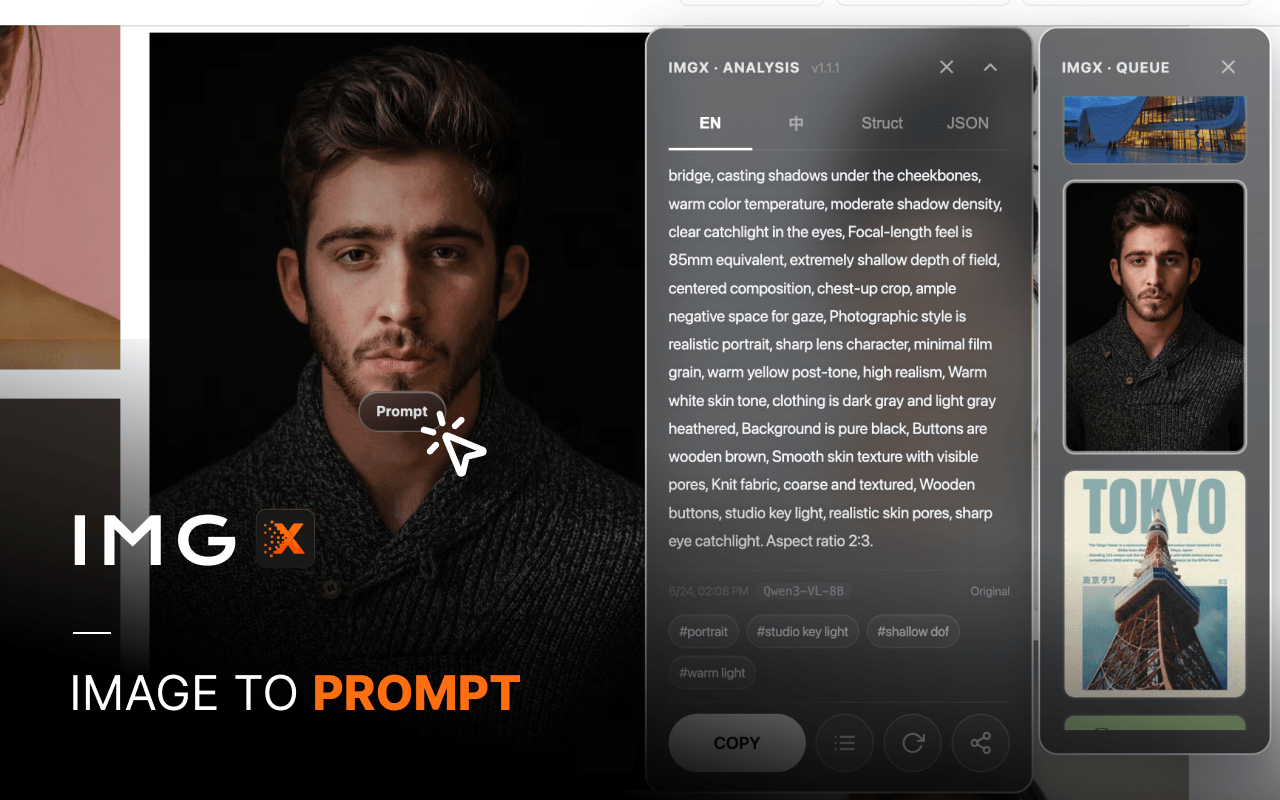
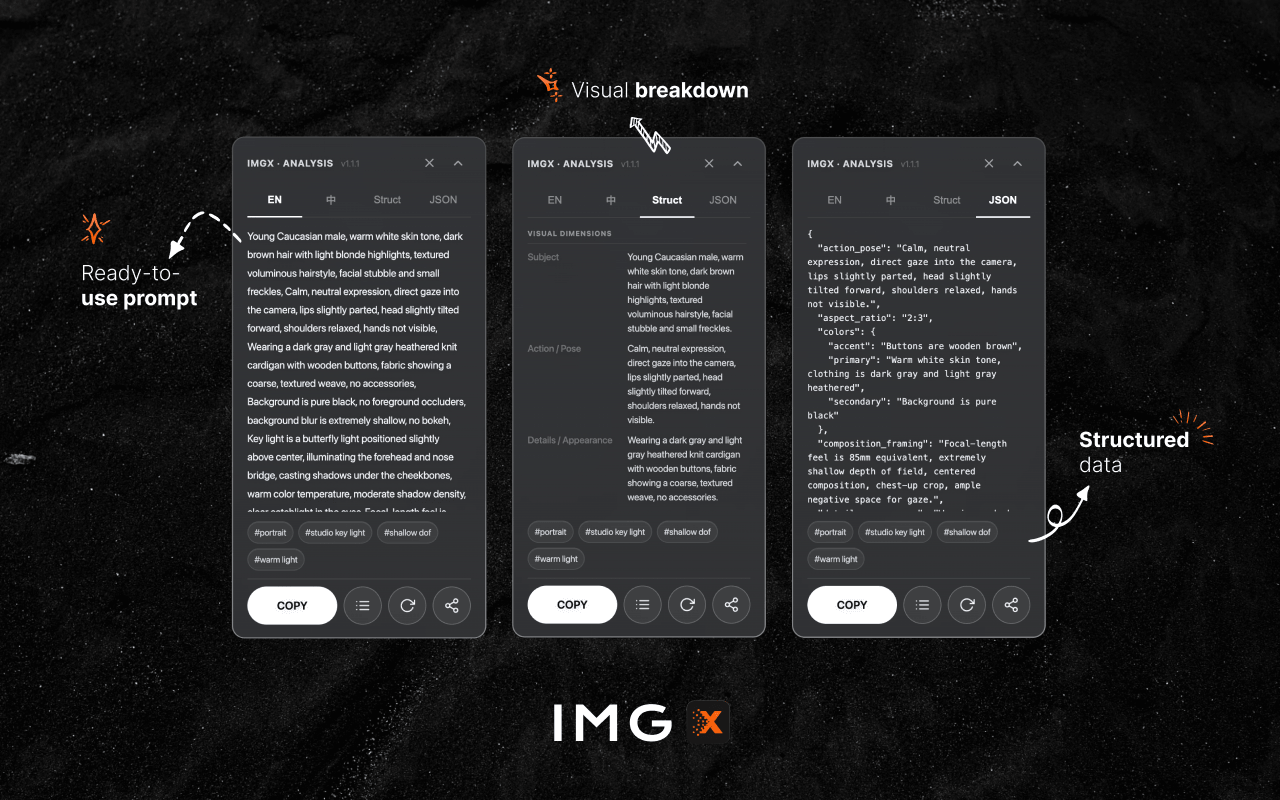

Real output
One studio portrait, one hover — see what ImgX reads, and what you get.
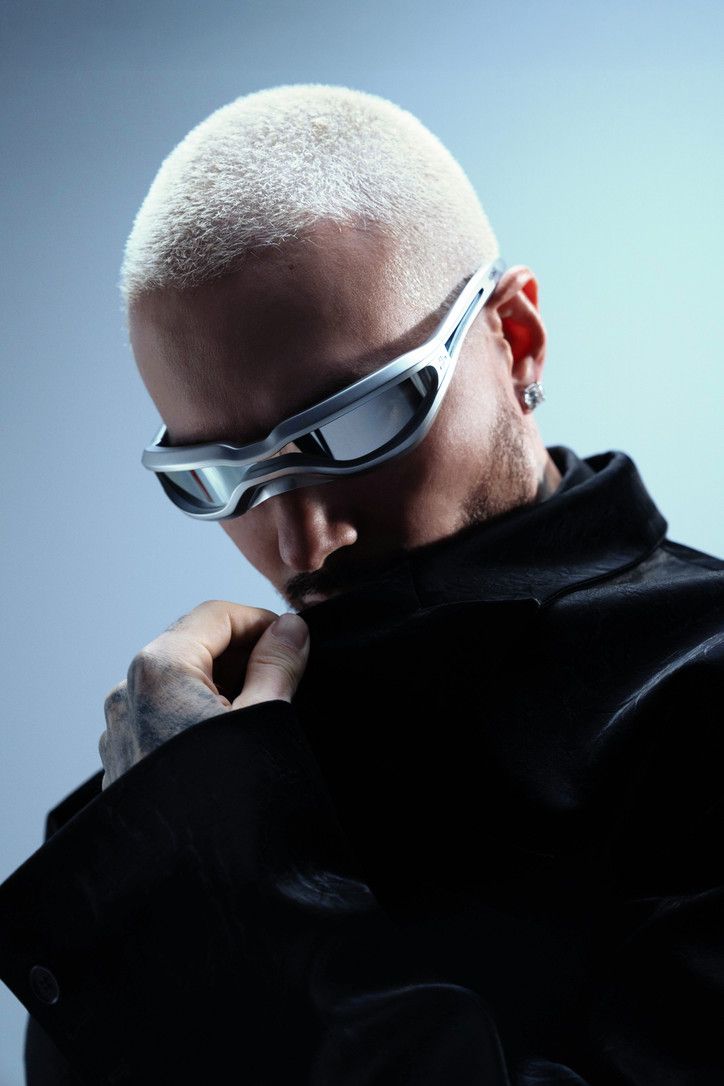
The image
The prompt, ready to paste
A vertical portrait photograph, aspect ratio 2:3. Subject is a male with a very short bleached blonde buzz cut, natural skin tone with light stubble. He wears futuristic silver visor-style sunglasses with reflective lenses obscuring his eyes. Head tilted slightly downward, gaze unobservable. He wears a black leather or leather-like jacket with a high collar covering part of his chin and neck. His left hand, featuring tattoos, grips the jacket collar, knuckles visible. A sparkling diamond stud earring is in his left ear. Background is a clean light blue-grey gradient. Light originates from the upper right, casting soft shadows and highlights on the face and clothing, creating a cold, fashionable, sci-fi atmosphere. Style is fashion photography or conceptual art, with sharp edges and realistic texture. Medium close-up shot, subject occupies most of the frame, head in upper half, hand in lower left. Background negative space is even. Outer canvas aspect ratio 2:3.
一张竖构图的人像摄影作品,画面比例 2:3。主体为一名男性,留着极短的白金色寸头,皮肤呈现自然肤色,带有轻微的胡茬。他戴着一副具有未来感的银色护目镜式太阳镜,镜片反光,遮挡了眼睛。他的头微微向下低垂,视线不可见。他穿着一件黑色的皮质或类似材质的外套,领口竖起,遮住了部分下巴和脖子。他的左手(带有纹身)正抓着外套的领口,手指关节清晰可见。左耳戴着一个闪亮的钻石耳钉。背景是纯净的浅蓝灰色渐变,光线从右上方照射,在人物面部和衣物上形成柔和的阴影和高光,营造出一种冷峻、时尚、科幻的氛围。整体风格偏向时尚摄影或概念艺术,边缘清晰,质感真实。中近景特写,人物占据画面大部分,头部位于画面上半部分,手部位于左下侧。背景留白均匀。外层画布比例 2:3。
Subject: A male with a very short bleached-blonde buzz cut, silver visor sunglasses, black high-collar jacket, tattooed left hand gripping the collar, and a diamond stud in his left ear. Action/Pose: Head tilted slightly down, gaze not visible. Left hand grips the black jacket's high collar, partly covering the face. Body turns slightly toward the left of the frame. Details/Appearance: Blonde buzz cut with crisp texture, silver visor with a metallic sheen and reflections, leather-like texture on the black jacket, dark tattoos on the back of the hand, sparkling earring, light stubble on the face. Environment/Background: Clean light blue-grey gradient background, no other objects, subject stays prominent. Lighting/Atmosphere: Soft directional light from the upper right, casting shadows on the left of the face and in the clothing folds; overall cool tone, mysterious and stylish mood. Composition/Framing: Medium close-up, subject fills most of the frame; head in the upper half, hand lower left; even negative space. Style/Lens: Fashion photography, high definition, realistic texture — like a commercial ad or album cover shoot, professional lighting. Canvas ratio: 2:3 Likely intent: Fashion editorial, album cover, concept art, or a sci-fi character portrait. Primary colors: Black (jacket) and light blue-grey (background) set the cool, restrained mood. Secondary colors: Platinum blonde (hair) and silver (glasses) add a futuristic feel and contrast. Accent colors: The diamond earring's sparkle and the dark hand tattoos draw attention as accents. Materials: Leather (jacket) / metal or plastic (glasses) / hair / skin / diamond (earring) Quality modifiers: High definition, realistic texture, professional lighting, fashion photography style, futuristic elements. Negative prompt: blurry, low quality, distorted face, extra fingers, bad anatomy, watermark, text, logo, messy background, warm tones, casual clothing
{ "style_tags": [ "portrait", "futuristic fashion", "cool-toned portrait", "sci-fi style" ], "subject": "A male with a very short bleached-blonde buzz cut, silver visor sunglasses, black high-collar jacket, tattooed left hand gripping the collar, and a diamond stud in his left ear.", "action_pose": "Head tilted slightly down, gaze not visible. Left hand grips the black jacket's high collar, partly covering the face. Body turns slightly toward the left of the frame.", "details_appearance": "Blonde buzz cut with crisp texture, silver visor with a metallic sheen and reflections, leather-like texture on the black jacket, dark tattoos on the back of the hand, sparkling earring, light stubble on the face.", "environment_background": "Clean light blue-grey gradient background, no other objects, subject stays prominent.", "lighting_atmosphere": "Soft directional light from the upper right, casting shadows on the left of the face and in the clothing folds; overall cool tone, mysterious and stylish mood.", "composition_framing": "Medium close-up, subject fills most of the frame; head in the upper half, hand lower left; even negative space.", "style_camera": "Fashion photography, high definition, realistic texture — like a commercial ad or album cover shoot, professional lighting.", "colors": { "primary": "Black (jacket) and light blue-grey (background) set the cool, restrained mood.", "secondary": "Platinum blonde (hair) and silver (glasses) add a futuristic feel and contrast.", "accent": "The diamond earring's sparkle and the dark hand tattoos draw attention as accents." }, "materials": [ "Leather (jacket)", "Metal/plastic (glasses)", "Hair", "Skin", "Diamond (earring)" ], "aspect_ratio": "2:3", "quality_modifiers": "High definition, realistic texture, professional lighting, fashion photography style, futuristic elements.", "likely_generation_intent": "Fashion editorial, album cover, concept art, or a sci-fi character portrait.", "negative_prompt": "blurry, low quality, distorted face, extra fingers, bad anatomy, watermark, text, logo, messy background, warm tones, casual clothing" }
Face, wardrobe, lens, and light — everything a portrait needs.
Typography, layout, and interface hierarchy — print and pixels.
Materials, staging, and the architecture around them.
Style, palette, and rendering technique — art and scenery alike.
Prose, tags, or JSON — switch formats inside the extension.
Add ImgX from the Chrome Web Store.
Pause on any web image — or drag-capture any region.
Full breakdown, tags, and a ready-to-use prompt.
Paste into any model and make it yours.
One-time credit packs
Choose the pack that fits your workflow.
For occasional use.
For a regular workflow.
For bigger batches.
One-time purchase · No auto-renewal · Credits never expire · Prices in USD
Use your own API key — always free.
No. It's an AI reading of the image — a strong starting point, never the source code.
The prompts work with any image-generation model.
One full analysis: the breakdown, the tags, and the prompt in every format.
Your prompt history stays on-device. Sign-in only uses what ImgX needs to run.
For AI creators, designers, and prompt engineers, 10 free analyses on sign-in, +3 more every day.